Your Storefront Has the Lights Off
AI assistants read your website's raw HTML and skip the JavaScript. If your site builds its content in the browser, ChatGPT and Perplexity see an empty page. Google still sees it fine, which is why nobody notices. You can check yours in under a minute with the free tool below.
Can ChatGPT see my website?
Maybe not. It depends on how your site was built, and the answer is not the same as whether Google can see it.
When someone asks an AI assistant for a plumber in Wichita or the best place to buy a mattress, the assistant does two things. It leans on what it already learned, and it fetches live pages to check. That fetch is where most small business sites fall over. The crawler asks your server for the page, your server sends back the HTML, and the crawler reads it. That's the whole transaction. No browser, no waiting, no running of scripts.
If your content is in that HTML, you're readable. If your content arrives a half second later because a script fetched it and drew it on screen, the crawler already left with an empty page.
Why Google sees your site but AI doesn't
Googlebot runs JavaScript. It has for years. It fetches your page, renders it the way a browser would, waits for the scripts to finish, and indexes the result. That's expensive and Google is one of the few outfits that can afford to do it at web scale.
The AI crawlers don't. Vercel and MERJ analyzed more than 500 million fetches from AI crawlers and found no JavaScript execution at all. GPTBot, ClaudeBot, PerplexityBot, and the rest take the raw HTML and go. The one exception is Google's own Gemini, which rides on Googlebot's rendering.
So you can rank first on Google and be a blank page to ChatGPT at the same time. Nothing in Search Console will tell you. Your traffic reports won't tell you either, because the visits that never happened don't show up anywhere.
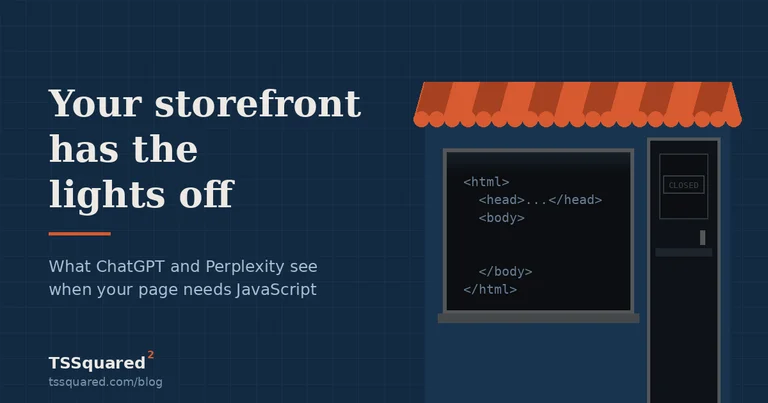
The storefront with the lights off
Think about a shop on a street where most customers now send someone ahead to look in the windows before they decide where to go.
Your shop is full. The shelves are stocked, the prices are marked, the staff is there. But the lights only come on after someone opens the door and steps inside. The scout walks up, sees a dark window, writes down "nothing here," and moves to the next storefront.
That's a client-side rendered website. Everything is there. It just isn't visible to anyone who won't come inside first, and the AI won't.
Server rendering is leaving the lights on. Same shop, same stock, but the window shows it.
Is my website visible to AI? Three ways to check
The fast one, if you have a terminal. Ask for your page as a crawler would and look at what comes back:
curl -sA "GPTBot" https://yoursite.com/your-page | grep -o "<h[1-3][^>]*>[^<]*" | head
Your headings should be in that output. If you get "Loading," "Please wait," a spinner's label, or nothing at all, the crawler is getting the same.
The one anybody can do. Open the page in Chrome, go into settings, find JavaScript under site permissions, and turn it off. Reload. What's left on the screen is what an AI assistant gets. Turn it back on when you're done.
The one that takes ten seconds. Paste your URL into our checker at tssquared.com/tools/ai-visibility. It runs the fetch, reads the HTML, checks your robots file, looks for structured data, and gives you a score with a plain-language line for each. No email, no signup, and it names what to fix.
We built it because we found this problem on our own site first. That's its own story.
Which site builders have this problem
This isn't a "bad website" thing. Some of the most expensive sites we've tested fail and some of the cheapest pass.
Usually fine. Plain HTML. WordPress with a normal theme. Squarespace and Wix for most page types. Shopify product pages. Anything where the server sends a finished page.
Often a problem. Sites built as single-page apps in React, Vue, or Angular without server rendering, where the HTML is an empty shell and everything arrives by script. Page-builder sections that load content after the page opens, especially product grids, event calendars, and "load more" listings. Sites where a filter or search feature was added to a page later, which is exactly how ours broke. Anything behind an aggressive bot-blocking service that returns a challenge page instead of your content.
Worth checking separately. Menus in an embedded widget. Inventory pulled from a third-party system. Anything that shows a spinner for even half a second before the real content appears.
The only way to know is to look. A site can pass on the homepage and fail on the one page that lists what you sell.
How to fix it
In rough order of how much they matter:
Server-render the pages that describe what you do. This is the big one and it's the one that needs a developer. The page has to arrive complete. For most small business sites the fix is one page, not a rebuild.
Let the AI search crawlers in. Check yoursite.com/robots.txt. If it blocks GPTBot, OAI-SearchBot, ClaudeBot, PerplexityBot, or Google-Extended, you've turned off the only visitors we're talking about. Some businesses block them on purpose, which is a fair choice, but make it on purpose.
Put your facts in structured data, server-side. Name, address, phone, hours, services, prices. It has to be in the HTML the server sends, not injected by a tag manager after load, because a script-injected tag is invisible for the same reason everything else is.
Answer the question in the first paragraph. Assistants quote passages. A page that opens with a direct answer gets quoted; a page that opens with "In today's competitive landscape" does not.
Does blocking GPTBot hurt my Google ranking?
No. They're separate crawlers with separate rules, and Google doesn't read your GPTBot line. Blocking GPTBot keeps you out of ChatGPT, nothing else. Google's own crawler follows the Googlebot and wildcard rules, and its AI features follow Google-Extended.
Worth knowing there are two kinds of AI bot and they do different jobs. The search-time bots fetch a page because a person just asked a question, and those are the ones that put you in an answer. The training bots collect text to train future models. You can allow one and block the other. Most small businesses should allow the search bots without much thought, because that's a customer asking about you right now.
What this actually costs you
Nobody can hand you a number, and anyone who does is guessing.
Here's what's measurable. More people ask an assistant before they search. When they do, the assistant names two or three businesses, not ten blue links. If your page can't be read, you're not one of the two or three, and there's no report anywhere that shows the recommendation you didn't get.
It's early. That's the argument for fixing it now rather than the argument for panicking. The businesses that show up in these answers a year from now are the ones whose pages can be read today, and the fix is usually a day of work on one page.
We're testing this on Wichita businesses across a few trades and publishing what we find, names and all for the ones that show up well. That's the next post in this section.
Common questions
Do I need a new website? Almost never. This is usually one page or one setting.
Will this help my Google ranking too? Probably a little, since server-rendered pages are faster and speed is a ranking factor. But that's a side effect. Fix it for the assistants.
My site is fine on the homepage. Am I done? No. Check the page that lists your services or products. That's the one that fails most often, and it's the one that matters when someone asks what you do.
How long does this take to fix? For a single page on a normal small business site, a day. For a full single-page app, longer, and the honest answer is a conversation about whether the rebuild is worth it.
How do I know it worked? Run the check again. The before and after are two commands, and any developer who fixes this should show you both.
In this series
Services this covers
Website Development
Custom-built websites with modern frameworks, headless CMS, and mobile-first responsive design.
Prices as of September 2026
Get the next one by email. No newsletter yet; we'll write when there's something worth reading.